Every unanswered WhatsApp message is a missed chance to help a customer. This guide explains how to automate WhatsApp replies for business, which conversations to automate first, and how to keep human support available when it matters.
Key Takeaways
- Automating WhatsApp replies helps businesses respond to messages without handling every conversation manually.
- Businesses can automate repetitive enquiries, FAQs, appointment bookings, follow-ups and other routine conversations.
- WhatsApp automation can provide faster responses even when the team is busy or unavailable.
- Live Chat allows complex queries to be handed over to a human agent when automation is not enough.
- Vezly’s no-code platform makes it easier for businesses to create and update automated WhatsApp conversations without relying on a technical team.
What Does It Mean to Automate WhatsApp Replies?
For many businesses, WhatsApp is an important channel for receiving enquiries and communicating with customers. As message volume increases, replying to every message manually can become difficult to manage.
Automating WhatsApp replies for business means using automated workflows to respond to messages based on what a person asks, selects, or does during a conversation.
Instead of a team member handling every step manually, automation can take care of routine parts of the conversation.
Businesses can automate frequently asked questions, collect information, qualify an enquiry, guide someone towards booking an appointment, or send a follow up at the right time.
When a conversation becomes more complex, it doesn’t have to remain within the automated flow. The conversation can be handed over to a human agent through Live Chat.
This creates a combination of automation for routine conversations and human support for conversations that need more attention.
Why Do Businesses Need WhatsApp Reply Automation?
The challenge with WhatsApp isn’t simply receiving messages. It is managing the work that happens after every message arrives.
Repetitive Questions Take Up the Team’s Time
Businesses often receive similar questions about pricing, services, availability, timings, products, and processes.
When these questions are answered individually, employees spend a significant amount of time repeating the same information.
Automation can handle these routine conversations while the team focuses on conversations that need their involvement.
Slow Replies Can Affect Enquiries
People often expect a quick response when they contact a business through WhatsApp.
If a team is busy handling other conversations, a new enquiry may have to wait.
An automated response can respond immediately and help the person move forward without waiting for someone from the team.
Follow Ups Can Become Difficult to Manage
A conversation may require a follow-up later. When these follow ups depend entirely on manual reminders, some conversations can be overlooked.
Automation allows businesses to create structured follow-up processes instead of relying entirely on individual team members.
Message Volume Can Grow Quickly
A business may manage a manageable number of WhatsApp conversations today and significantly more as its campaigns, customer base or enquiries grow.
A structured automation system helps businesses handle increasing conversation volumes without every additional message becoming another manual task.
Which WhatsApp Replies Can You Automate?
The best opportunities for automation are usually conversations that are repetitive and follow a predictable process.
| Conversation type | How automation can help |
|---|---|
| FAQs | Answer common questions automatically |
| Lead enquiries | Qualify enquiries and collect relevant information |
| Appointment booking | Guide people through the booking process |
| Product enquiries | Share relevant product information |
| Follow ups | Send timely follow up messages |
| Payment reminders | Notify customers about pending payments |
| Information requests | Share documents, details or instructions |
| Complex queries | Hand the conversation over to a human agent through Live Chat |
This doesn’t mean every conversation needs to follow a completely automated journey.
The objective is to let automation handle the repetitive work while giving your team the right point to step in.
How Does WhatsApp Reply Automation Work?
WhatsApp reply automation can turn a message into a structured conversation instead of leaving every step to a team member.
A typical process looks like this:
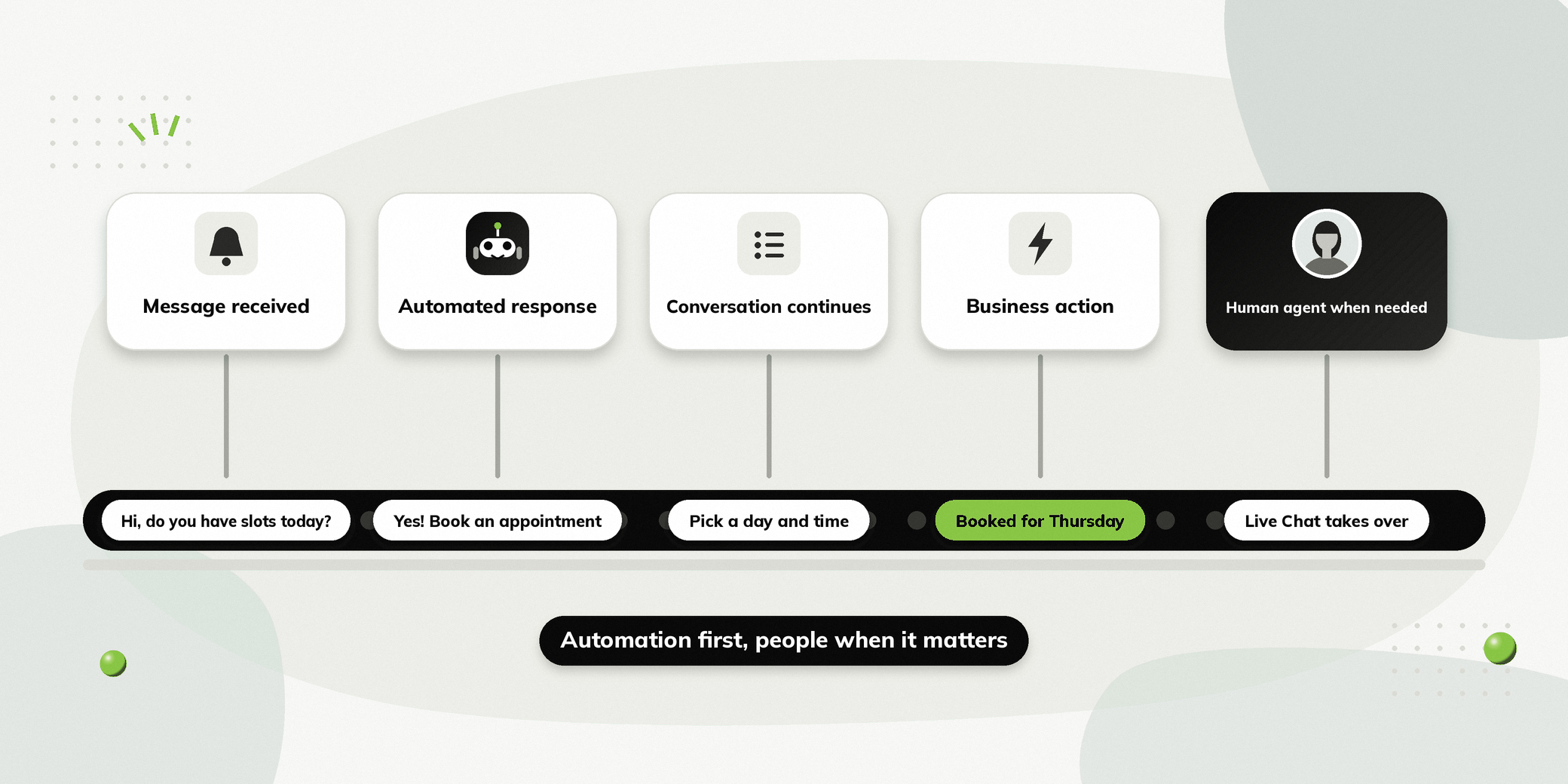
Message received → Automated response → Conversation continues → Business action → Human agent when needed
The exact workflow depends on the business.
A person might start by asking a question. The automated system can provide relevant information, ask for additional details, or present options.
If the conversation follows a predictable process, automation can continue handling it.
If the person has a complex question or needs individual assistance, the conversation can be handed over to a human agent through Live Chat.
This means automation does not have to create a barrier between the business and the person contacting it. Instead, it can act as the first layer of support before bringing in the right team member.
What Are the Benefits of Automating WhatsApp Replies?
Faster Responses
Automation can respond immediately to routine enquiries instead of making people wait for a team member.
Reduced Repetitive Work
Your team doesn’t have to manually answer the same questions throughout the day.
Consistent Communication
Automated workflows can provide predefined information consistently across conversations.
Better Availability
Automated conversations can continue operating when the team is busy or outside normal working hours.
Structured Follow Ups
Businesses can create predefined processes for reminders and follow ups instead of relying entirely on manual tracking.
Easier Conversation Management
When automation and Live Chat work together, routine conversations can be automated while complex conversations can reach the appropriate human agent.
Better Team Productivity
Instead of spending time on repetitive questions, team members can focus on conversations where their involvement adds more value.
WhatsApp Auto Reply vs WhatsApp Automation
The terms WhatsApp auto reply and WhatsApp automation are often used interchangeably, but there is a difference.
A WhatsApp auto reply generally refers to an automatic response to a message.
For example, a business may send an automatic response when someone contacts it outside of working hours.
WhatsApp automation can go much further.
It can manage multiple steps within a conversation, collect information, apply conditions, trigger actions, and hand over the conversation to a human agent when required.
So, an auto reply can be one part of a broader WhatsApp automation workflow.
How to Decide What to Automate on WhatsApp
Before building automation, businesses should understand how their team currently handles WhatsApp conversations.
Identify Repeated Questions
Look at the questions your team answers most frequently.
If the same questions appear repeatedly, they may be good candidates for automation.
Find Repetitive Processes
Some business processes follow the same steps every time.
Appointment booking, enquiry qualification, information collection and payment reminders are examples of processes that can be structured.
Look for Response Delays
Identify conversations where people regularly have to wait for a response.
These can be good opportunities for automated first responses.
Find Manual Follow Up Work
If employees regularly maintain lists or reminders to follow up with enquiries or customers, some of this process may be automated.
Define When Human Support Is Needed
Automation should also have a clear point where the conversation can move to a human agent.
For example, if someone asks a question outside the automated flow or needs individual assistance, Live Chat can allow the team to take over the conversation.
How to Automate WhatsApp Replies Without Coding
Businesses don’t necessarily need a developer or technical team to create every WhatsApp workflow.
No code platforms allow teams to build conversations through visual interfaces.
The process can be as simple as:
Identify the conversation → Build the workflow → Add questions and responses → Set conditions → Define actions → Test → Launch
Start with one repetitive process instead of trying to automate everything at once.
Once the workflow is working well, businesses can gradually automate additional conversations.
This approach also makes it easier for business teams to update a workflow when a question, process, or requirement changes.
How Vezly Helps Automate WhatsApp Replies
Vezly provides a visual flow builder that lets businesses create automated WhatsApp conversations without writing code.
Businesses can start with a ready-made flow or build their own workflow from scratch.
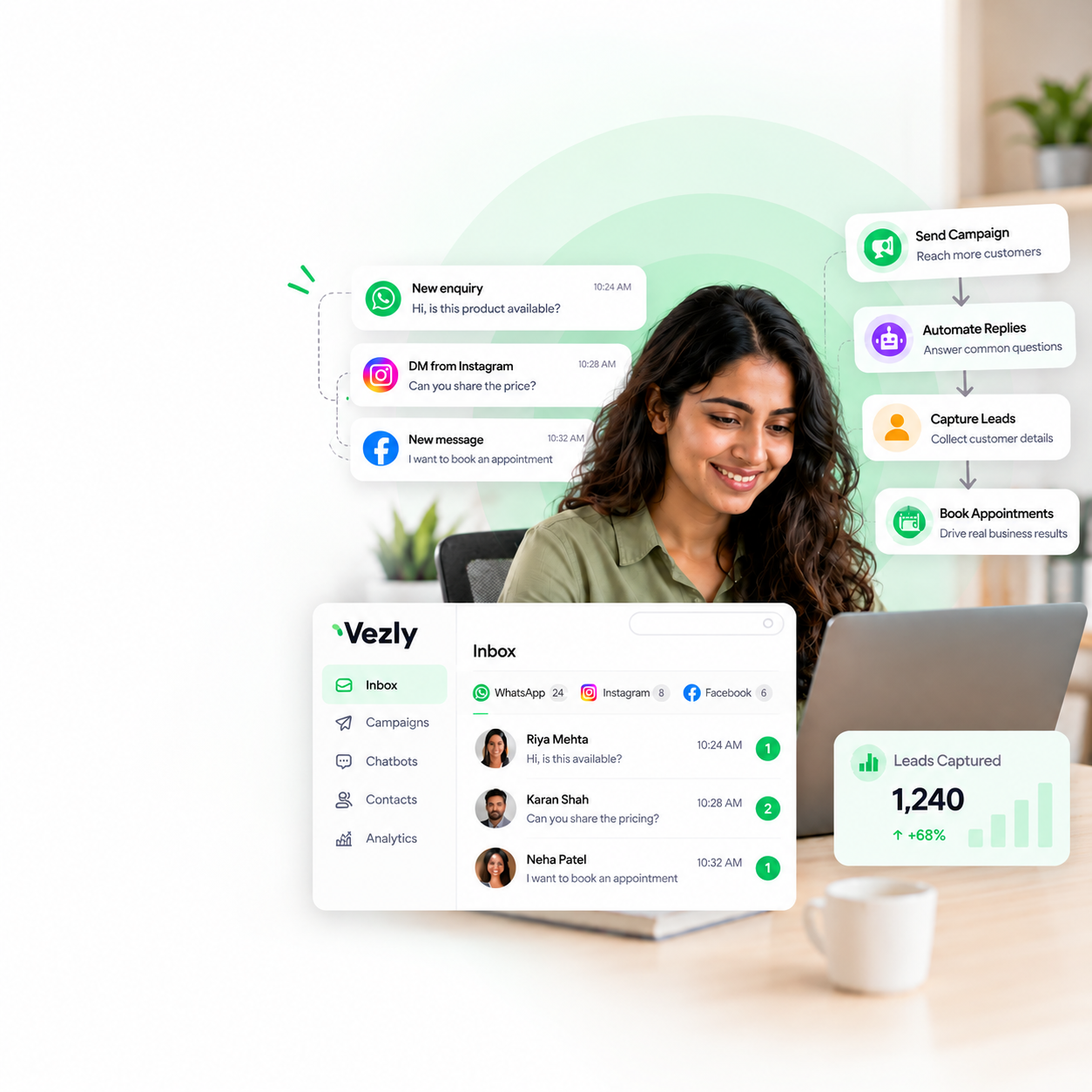
Vezly combines automation with Live Chat, so routine conversations can be handled automatically while complex queries can be handed over to a human agent.
| Vezly capability | What it helps with |
|---|---|
| Visual Flow Builder | Build automated WhatsApp conversations visually |
| WhatsApp Forms | Collect structured information |
| Conditional Logic | Create different conversation paths |
| Customer Segments | Organise people into relevant groups |
| Action Tags | Track actions taken during conversations |
| Rich Media | Share relevant images and documents |
| Customer Module | View people who interacted with the chatbot |
| Live Chat | Hand complex conversations to human agents |
Vezly is designed to let businesses build their first simple WhatsApp chatbot in as little as 5 minutes, depending on the workflow and setup.
The no code approach also means business teams can make changes to their automated conversations without depending on a technical resource every time.
Common Mistakes to Avoid When Automating WhatsApp Replies
Automating Everything
Not every part of a conversation needs the same level of automation.
Use automation where it removes repetitive work and lets human agents handle conversations that need individual attention.
Making Conversations Too Long
People should not have to answer unnecessary questions before reaching the information or action they need.
Giving Too Many Options
Too many choices can make a conversation difficult to navigate.
Keep the next step clear and relevant.
Not Updating Automated Information
Outdated pricing, availability, services, or business information can create confusion.
Review automated responses regularly.
Making It Difficult to Connect to a Human Agent
If someone needs individual assistance, they should have a clear path to a human agent.
A Live Chat handover can prevent automated flow from becoming frustrating.
Measuring Only Message Volume
The goal of automation isn’t simply to send more messages.
Businesses should look at whether automation is helping people get answers faster, complete important actions and reduce repetitive work for the team.
Final Thoughts
When WhatsApp becomes an important source of enquiries and customer communication, manually responding to every message can become difficult to manage.
Automating WhatsApp replies allows businesses to handle repetitive conversations faster while keeping human support available when it matters.
The most effective approach isn’t about choosing between automation and people.
It is about using automation for routine conversations and bringing human agents into conversation when more attention is needed.
Start with the conversations your team handles repeatedly, automate those first and expand as your business needs grow.
FAQs
Can I automate WhatsApp replies for my business?
Yes. Businesses can automate common enquiries, FAQs, bookings, follow-ups, reminders and other repetitive conversations through WhatsApp automation.
What WhatsApp messages should I automate?
Start with repetitive conversations that follow a predictable process, such as FAQs, appointment enquiries, information requests, and routine follow-ups.
Can WhatsApp automatically reply to customers?
Yes. Businesses can configure automated responses and workflows that respond to incoming WhatsApp messages based on predefined rules or automation logic.
Can I automate WhatsApp replies without coding?
Yes. No code WhatsApp automation platforms allow businesses to create workflows through visual interfaces without writing code.
Can automated WhatsApp replies be combined with human support?
Yes. Automation and human support can work together. Routine conversations can be automated, while complex queries can be handed over to a human agent through Live Chat.