What Is a WhatsApp Chatbot?
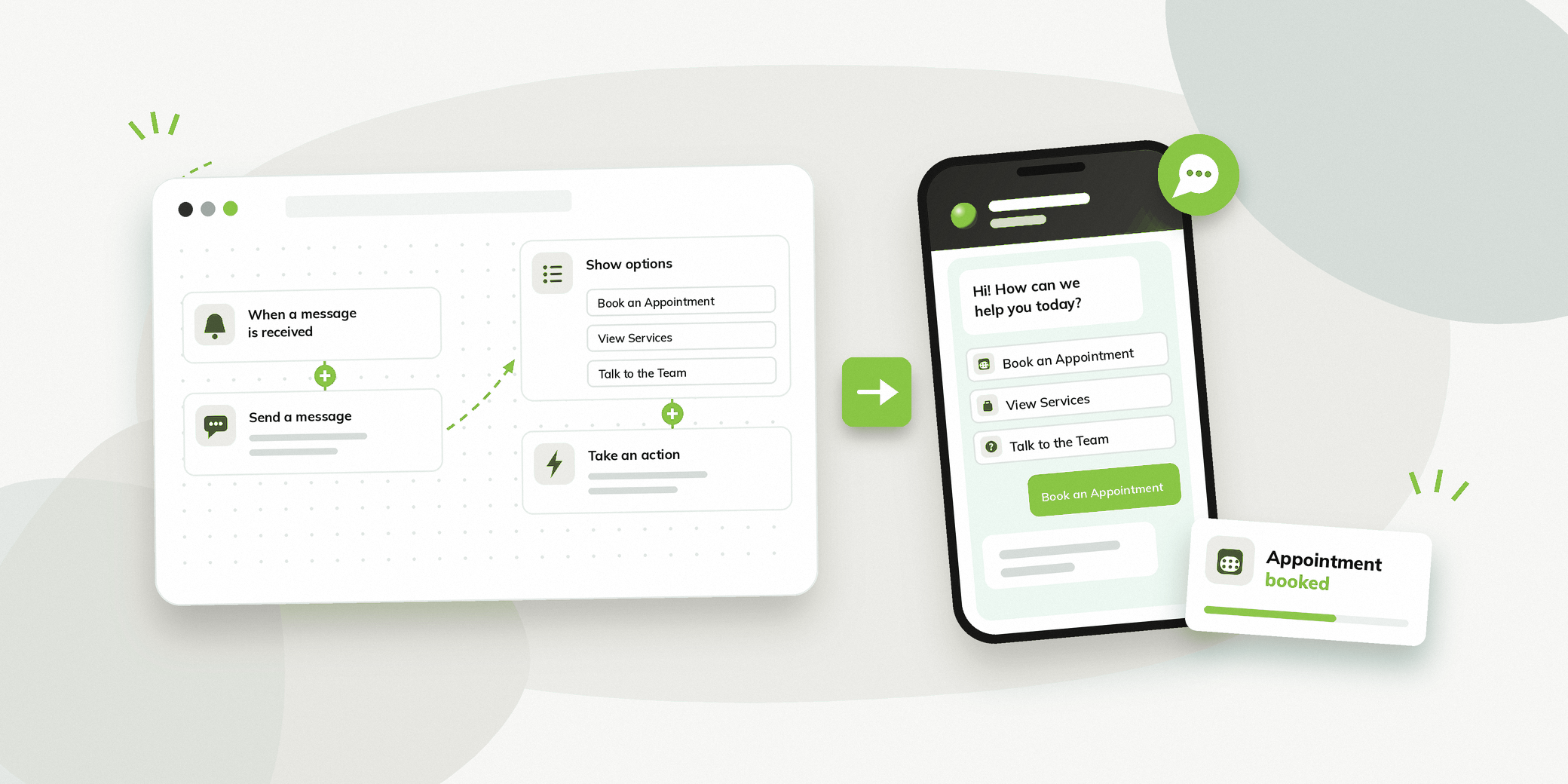
A WhatsApp chatbot is an automated system that communicates with people through WhatsApp based on predefined flows, rules or AI.
Instead of requiring someone from the business to answer every enquiry manually, a chatbot can handle common questions and guide people towards the next step.
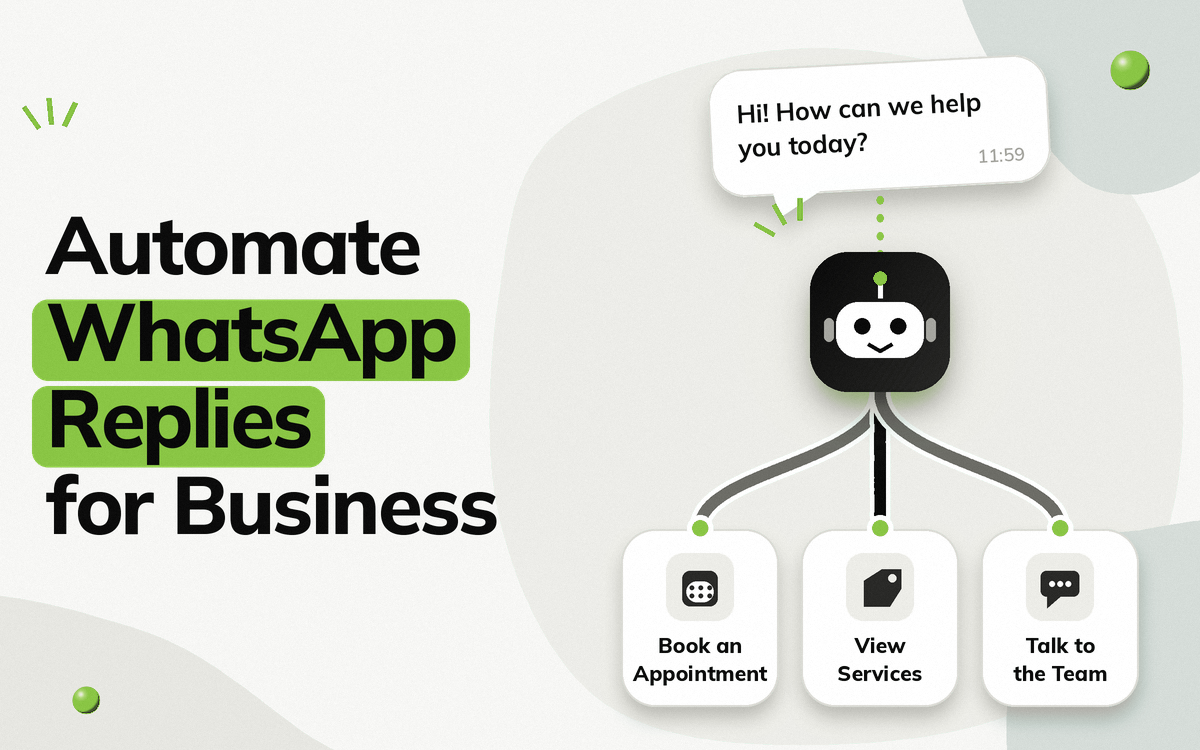
Hi! How can we help you today?
Book an Appointment
Sure, please click on the below button to book appointment
If someone selects Book an Appointment, the chatbot can continue the conversation, collect the required information and guide them towards a booking.
WhatsApp also supports structured experiences through WhatsApp Flows, which allow businesses to create rich menus and forms within a WhatsApp conversation. Meta has highlighted appointment booking and other structured tasks as examples of what can be built with Flows.
A no-code platform takes this concept further by providing a visual interface for creating these journeys without requiring programming knowledge.
Key Takeaways
- A WhatsApp chatbot can automate repetitive conversations such as lead capture, FAQs and appointment booking.
- Vezly lets you build a WhatsApp chatbot without coding using a visual flow builder.
- Build your first chatbot in as little as 5 minutes without waiting for a technical team.
- Ready-made flows are available if you want to get started without building everything from scratch.
- Forms, buttons and conditional logic help create structured WhatsApp journeys.
What Does a No-Code WhatsApp Chatbot Mean?
A no-code WhatsApp chatbot allows a business to create automated conversations without writing programming code.
Instead of building the logic manually, you can use a visual flow builder to create the conversation.
With Vezly, businesses can build their first WhatsApp chatbot in as little as 5 minutes, without waiting for a developer or technical team to create a basic workflow.
A typical chatbot flow can look like:
Start conversation → Ask a question → Show options → Collect information → Take an action
The business team can then make changes to the flow themselves instead of depending on a technical resource for every small update.
Traditional chatbot development vs no-code
| Traditional approach | No-code approach |
|---|---|
| Coding may be required | Visual flow builder |
| Technical resources may be needed | Business teams can build flows |
| Changes may require development work | Flows can be edited visually |
| Logic is created through code | Logic is created through conditions and actions |
| Longer setup for simple changes | Faster setup for routine workflows |
No-code does not mean that every possible requirement can be handled without technical work. Complex integrations or custom business logic may still require technical support.
The main advantage is that common WhatsApp workflows can be created and managed by the people who understand the business.
Why Use a No-Code WhatsApp Chatbot?
Reduce repetitive conversations
Businesses receive many questions that have predictable answers.
For example:
- What are your prices?
- What services do you offer?
- How can I book an appointment?
A chatbot can handle these routine questions automatically instead of requiring someone to respond to each enquiry.
Capture leads automatically
A person who enquires through WhatsApp can be guided through a structured conversation.
For example:
What are you looking for?
Product Information | Pricing | Book a Consultation
The chatbot can then collect relevant information and record the person’s actions for the team to follow up.
Make appointment booking easier
A chatbot can guide someone through:
Service → Date → Time → Details → Confirmation
WhatsApp Flows can support structured menus and forms for experiences such as appointment booking.
Respond when your team is unavailable
People don’t always send enquiries during business hours.
A chatbot can handle routine conversations when the team is unavailable and give people an immediate way to continue their enquiry.
Business Workflows You Can Automate
A no-code chatbot can support different business workflows.
| Use case | Example journey |
|---|---|
| Lead generation | Enquiry → Service → Details → Follow up |
| Appointment booking | Service → Date → Slot → Confirmation |
| Product enquiries | Product → Information → Pricing → Buy |
| Customer support | Question → Answer → Human support |
| Order enquiries | Order number → Status → Update |
| Registration | Details → Selection → Confirmation |
| FAQ automation | Question → Relevant answer |
| Feedback | Question → Rating → Feedback |
The important point is that the chatbot should be built around a specific business objective.
A complicated flow is not automatically a better flow.
For example, if the objective is to generate consultation bookings, the chatbot should make it easy for someone to understand the service and book a consultation rather than forcing them through unnecessary questions.
How to Build a No-Code WhatsApp Chatbot
Building a chatbot becomes easier when the conversation is planned before the flow is created.
With Vezly, you can either start with a ready-made flow and plug it in, or create your own chatbot journey using the visual flow builder. For a simple workflow, you can get started in as little as 5 minutes.
Step 1: Choose what you want to automate
Start with one clear business objective.
For example:
“I want people to book consultations through WhatsApp.”
Or:
“I want to capture and qualify leads from WhatsApp.”
A specific goal makes it easier to decide what the chatbot should ask and what should happen next.
Step 2: Start with a ready-made flow or build your own
If your use case matches an available flow, you can use it as a starting point rather than creating everything from scratch.
If you need something specific to your business, you can build the journey yourself using the visual flow builder.
Step 3: Build the flow visually
Add questions, buttons, forms and actions to create the conversation.
For example:
Start → Question → Options → Form → Action
There is no need to write code for a basic flow.
Step 4: Add your business logic
Use conditional logic to create different paths based on what someone selects.
For example:
Interested in Product A → Product A journey
Interested in Product B → Product B journey
This allows one chatbot to handle different types of enquiries without creating a completely separate flow for every scenario.
Step 5: Collect the required information
Use a WhatsApp Form when you need structured information.
For example:
| Information | Example |
|---|---|
| Name | Rahul Sharma |
| Service | Business Consultation |
| Preferred date | 15 October |
| Preferred time | 4:00 PM |
Only ask for information that is necessary for the next step.
Step 6: Add the right action
Once the information has been collected, the chatbot can trigger the next step.
Depending on the workflow, this could be:
- Book an appointment
- Capture a lead
- Add an action tag
- Push information into a business system
- Continue the conversation
- Connect the person with the team
Step 7: Test and launch
Go through the conversation yourself before making it live.
Check whether:
- Every button leads to the right place.
- Questions are easy to understand.
- The flow has no unnecessary steps.
- People can reach the team when needed.
- The intended business action happens correctly.
Once the flow is ready, it can be connected to the WhatsApp channel and launched.
From a ready-made flow or a blank canvas to a working WhatsApp chatbot in as little as 5 minutes.
No-Code WhatsApp Chatbot Features to Look For
When choosing a chatbot platform, focus on capabilities that support your actual business workflow.
| Feature | Why it matters |
|---|---|
| Visual Flow Builder | Create conversations without coding |
| Buttons and Lists | Give people clear options |
| WhatsApp Forms | Collect structured information |
| Conditional Logic | Create different paths based on responses |
| Rich Media | Share images, videos and documents |
| Customer Records | Review people who interacted with the chatbot |
| Action Tracking | Understand important actions in a flow |
| Human Support | Let the team handle conversations when needed |
| Integrations | Connect chatbot actions with business systems |
The goal is not to choose the platform with the longest feature list.
It is to choose one that can support the journeys your business actually needs.
How Vezly Helps You Build a WhatsApp Chatbot Without Coding
Vezly provides a visual flow builder that lets businesses create automated WhatsApp conversations without writing code.
Businesses can either use a ready-made flow for a common use case or create their own journey from scratch. This gives teams a faster way to get started while still allowing them to customise the experience around their business.
You can create flows with:
| Vezly capability | What it does |
|---|---|
| Visual Flow Builder | Build chatbot journeys visually |
| Hybrid Journeys | Combine rule-based flows with AI |
| WhatsApp Forms | Collect structured information |
| Conditional Logic | Create different paths based on responses |
| Customer Segments | Start journeys with selected audiences |
| Action Tags | Track important actions in a conversation |
| Customer Module | Review people who interacted with the chatbot |
| Rich Media | Share relevant images, videos or documents |
Build it yourself. Launch it in 5 minutes.
For a simple use case, the process is:
Choose a ready-made flow or start from scratch → Add questions and buttons → Add a WhatsApp Form if required → Set conditions and actions → Go live
You shouldn’t have to wait for a technical team every time you want to change a question, add a button or adjust a chatbot journey.
When Is a Chatbot the Right Choice?
A chatbot is particularly useful when a business receives a high volume of repetitive enquiries or has a process that follows predictable steps.
| Business need | Chatbot suitability |
|---|---|
| Frequently asked questions | High |
| Appointment booking | High |
| Lead qualification | High |
| Product enquiries | High |
| Registration | High |
| Order status | High |
| Complex complaints | Better with human support |
| Highly personalised consultations | Human support may be more appropriate |
The goal is not to automate every interaction.
The goal is to remove repetitive work while making important conversations easier to manage.
Chatbot Flow Best Practices
Keep the first step simple
Don’t start with a long list of questions.
Give people a few clear options and let them choose where they want to go.
Design around an outcome
Every flow should have a clear purpose.
For example:
Book Appointment
is a better starting point than:
Tell us what you need
when the business already knows the action it wants to facilitate.
Minimise unnecessary questions
Only collect information that is required for the next step.
The shorter the path to the desired action, the easier the conversation is to complete.
Give people a way to reach the team
Automation should not become a barrier.
If someone needs help, make it easy to connect them with a team member.
Test before launching
Go through the chatbot as a real user.
Look for confusing options, unnecessary questions, dead ends and missing actions.
A chatbot should feel like a useful conversation, not a form disguised as a chat.
FAQs
What can a WhatsApp chatbot automate?
A WhatsApp chatbot can automate workflows such as FAQs, lead capture, qualification, appointment booking, registrations, product enquiries and other repetitive interactions.
Can a WhatsApp chatbot collect lead information?
Yes. A chatbot can ask questions or use structured forms to collect relevant information from an enquiry.
Can I build a WhatsApp chatbot without a developer?
Yes. No-code platforms allow business teams to create many common workflows using visual builders, conditions, forms and actions without writing code.
How quickly can I build a WhatsApp chatbot with Vezly?
Vezly is designed to let businesses build their first simple WhatsApp chatbot in as little as 5 minutes, depending on the workflow and setup required.
Can I use a ready-made WhatsApp chatbot flow?
Yes. Vezly provides ready-made flows for common use cases. You can use one as a starting point or create your own flow from scratch.