If you’re planning to switch from WATI to Vezly, or move over from Interakt, one of the biggest concerns is your existing WhatsApp number.
You may already have that number on your website, advertisements, social media profiles, and customer communications.
The good news is that switching WhatsApp Business API providers does not necessarily mean changing your existing WhatsApp number.
An eligible WhatsApp Business Account can be migrated to another provider while retaining the existing business phone number and important account attributes.
This guide explains what WABA migration means, what stays with your account, what needs to be prepared, and how to approach a move from WATI or Interakt to Vezly.
Can You Switch from WATI Without Changing Your WhatsApp Number?
Yes, if your WhatsApp Business Account is eligible for migration.
You do not need to abandon your existing business number simply because you want to change your WhatsApp API provider.
For example, if your current WATI number is:
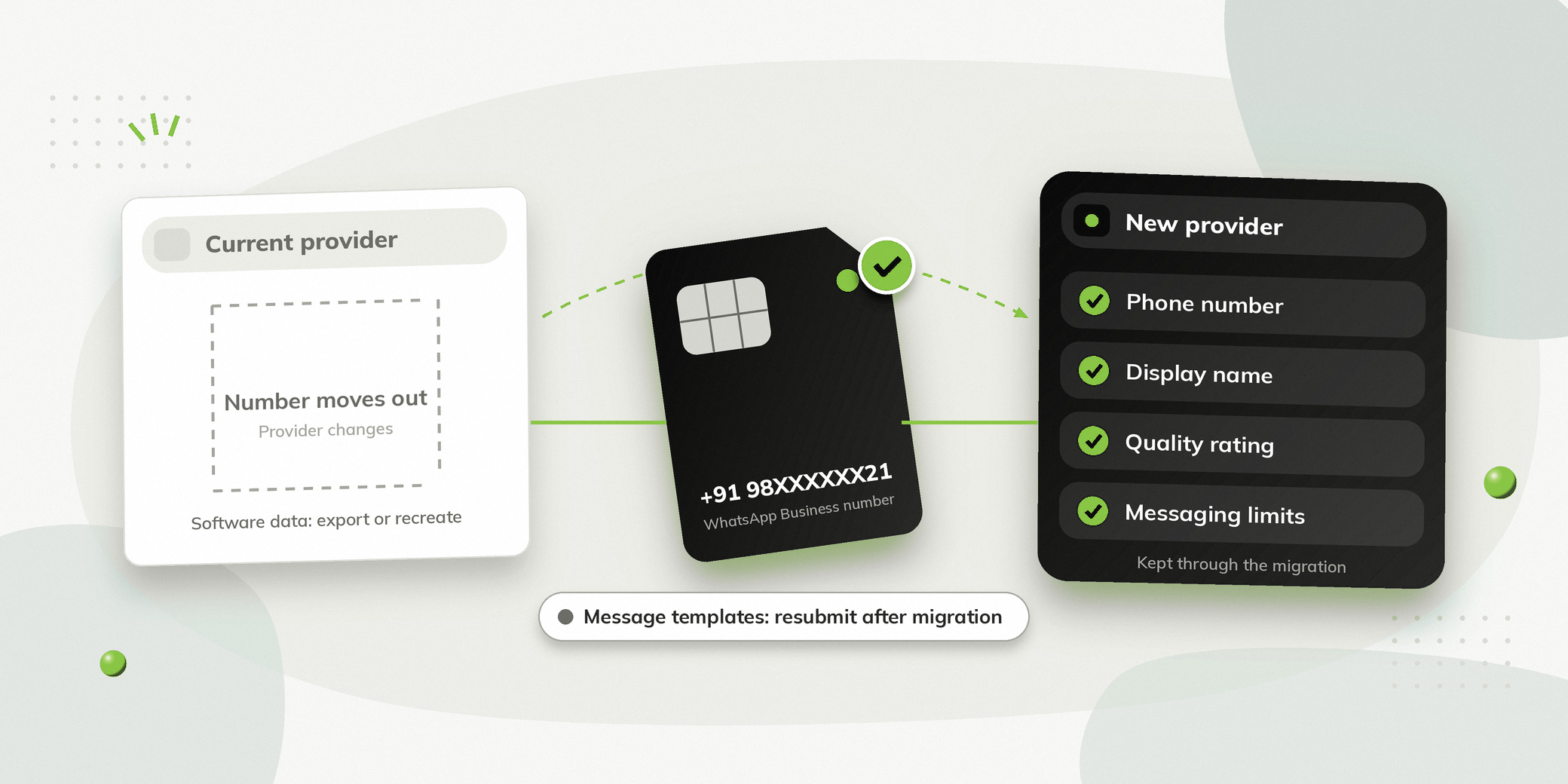
+91 98XXXXXX21
You can migrate that number to Vezly rather than registering a completely new number.
Your existing number can continue to be the number customers use to contact your business.
Can You Migrate from Interakt Without Changing Your Number?
Yes. An eligible WhatsApp Business API number can be migrated from an existing provider to another provider.
This means an Interakt customer considering Vezly does not necessarily need to purchase a new number and start building a new WhatsApp presence.
The migration changes the provider managing the WhatsApp Business Account while allowing the business to retain its existing number.
What Is WABA Migration?
WABA stands for WhatsApp Business Account.
WABA migration is the process of moving an eligible WhatsApp Business Account from one WhatsApp Business API provider to another.
The important point is that the provider changes while the business phone number can remain the same.
What Stays with Your WhatsApp Business Account?
Eligible migration can retain important account attributes.
| Account Detail | Retained |
|---|---|
| WhatsApp phone number | Yes |
| Display name | Yes |
| Quality rating | Yes |
| Official Business Account status | Yes |
| Messaging limits | Yes |
This means a provider migration is different from creating a completely new WhatsApp Business Account.
Your established WhatsApp identity can continue with the new provider.
What Happens to Your Message Templates?
This is one area where you need to prepare before switching.
Message templates do not automatically move to the new provider.
They need to be resubmitted and approved after migration.
So before leaving your existing provider, make a list of the WhatsApp message templates your business currently uses.
Having this list ready makes it easier to recreate the messaging setup after migration.
Who Can Migrate Their WhatsApp Business Account?
Migration is available for eligible businesses using WhatsApp Business API through an official Meta Business Solution Provider and businesses with their own WhatsApp API integration that want to move to a Business Solution Provider.
There are also some restrictions.
Meta provided free test business phone numbers cannot be migrated.
Your business phone number should also have an approved display name, with no pending display name change request.
What Do You Need Before Starting the Migration?
Before starting, make sure you have the required account information and access.
Your Existing Phone Number
Keep the WhatsApp Business phone number you want to migrate ready.
Your Business Manager ID
You need the Business Manager ID associated with your WhatsApp Business Account.
An Approved Display Name
Your WhatsApp number needs to have an approved display name.
There should also be no pending display name change request.
Two Factor Authentication Disabled
Two factor authentication must be disabled on the current WhatsApp Business Account before the migration begins.
Access to Your Business Account
Make sure you have the required access to the Meta Business account associated with your WhatsApp Business Account.
How to Switch from WATI to Vezly
The exact screens in Vezly may vary depending on your account setup, but the migration can be approached in a few clear stages.
Step 1: Review Your Existing Setup
Before starting the migration, document what you currently use.
Review your:
- WhatsApp number
- Display name
- Message templates
- Chatbot flows
- Campaigns
- Customer segments
- Integrations
- Team configuration
This gives you a clear list of what needs to be configured after the move.
Step 2: Prepare Your WhatsApp Business Account
Confirm that your display name is approved and that there is no pending display name change.
Disable two factor authentication before beginning the migration.
Keep your Business Manager ID and existing phone number available.
Step 3: Start Vezly Onboarding
Begin the WhatsApp onboarding process with Vezly.
The objective is to connect your existing WhatsApp Business Account and phone number, rather than create a new business number.
Step 4: Use Your Existing Business Details
Use the same business information associated with your existing WhatsApp Business Account.
The migration process requires the existing phone number and display name.
Step 5: Verify Your Phone Number
Complete the required phone number verification.
The migration process uses an OTP sent through SMS or voice call to verify the number.
Step 6: Complete the Migration
Complete the remaining onboarding requirements and move the WhatsApp Business Account to the new provider.
Once the required migration steps are complete, the migration can typically be finished within a few hours.
Step 7: Reconfigure Your Workflows
Once your number is connected to Vezly, configure the workflows you need.
This may include:
- Message templates
- Campaigns
- Chatbot flows
- Customer segments
- Integrations
- Team access
How to Migrate from Interakt to Vezly
The overall approach is similar.
You are moving the eligible WhatsApp Business Account from your existing provider to Vezly while retaining the existing business number.
Before starting:
- Confirm your WhatsApp number.
- Confirm your Meta Business access.
- Keep your Business Manager ID available.
- Check that your display name is approved.
- Disable two factor authentication.
- Record your existing templates and workflows.
- Begin the Vezly onboarding process.
- Complete phone verification.
- Reconfigure and test your workflows.
The exact onboarding screens can vary, so follow the migration steps provided during the Vezly setup.
Will You Lose Your WhatsApp Number?
No, not simply because you are switching providers.
An eligible WhatsApp Business Account can be migrated while retaining its existing business phone number.
This means you do not necessarily need to:
- Change the WhatsApp number on your website
- Update your advertisements with a new number
- Ask customers to save a new number
- Start building a new WhatsApp presence
Your existing business number can remain the number your customers use.
Will You Lose Your WhatsApp Display Name?
No, the existing approved display name can be retained during an eligible migration.
However, the display name needs to be approved, and there should be no pending display name change request before starting the migration.
Will Your Quality Rating and Messaging Limits Be Retained?
Yes, your quality rating and messaging limits can be retained during an eligible migration.
Your Official Business Account status can also be retained.
This means you do not necessarily have to start again as though you had created a completely new WhatsApp Business Account.
What About Your Existing WATI or Interakt Data?
This is an important distinction.
WhatsApp Business Account migration and software data migration are not the same thing.
Moving your WhatsApp number to Vezly does not mean that every piece of information stored inside WATI or Interakt will automatically appear in Vezly.
You should separately review:
- Customer data
- Conversation history
- Chatbot flows
- Campaigns
- Customer segments
- Integrations
- Team configuration
- Message templates
Message templates need to be resubmitted after migration.
For other provider specific data, check what you need to export or recreate before closing your existing setup.
How Much Downtime Should You Expect?
The migration process can typically be completed within a few hours once the required onboarding steps are completed.
However, it is still better to plan the migration carefully.
Avoid switching providers in the middle of an important campaign or during your busiest communication period.
Before starting the migration, make sure your key templates and workflows are ready to be configured in Vezly.
WATI to Vezly Migration Checklist
| Item | What to Prepare |
|---|---|
| WhatsApp number | Existing business number |
| Business Manager ID | Keep it available |
| Display name | Approved, with no pending change |
| 2FA | Disable before migration |
| Templates | Record and prepare for resubmission |
| Customer data | Export or prepare as required |
| Chatbot flows | Document existing journeys |
| Campaigns | Record important campaigns |
| Integrations | Identify integrations to reconnect |
| Team access | Plan Vezly users |
| Testing | Test important workflows after migration |
The first five items are migration requirements. The remaining items are practical preparation for moving from one platform to another.
Why Switch from WATI or Interakt to Vezly?
The ability to retain your existing WhatsApp number removes one of the biggest concerns around changing providers.
The next question is what you gain by switching.
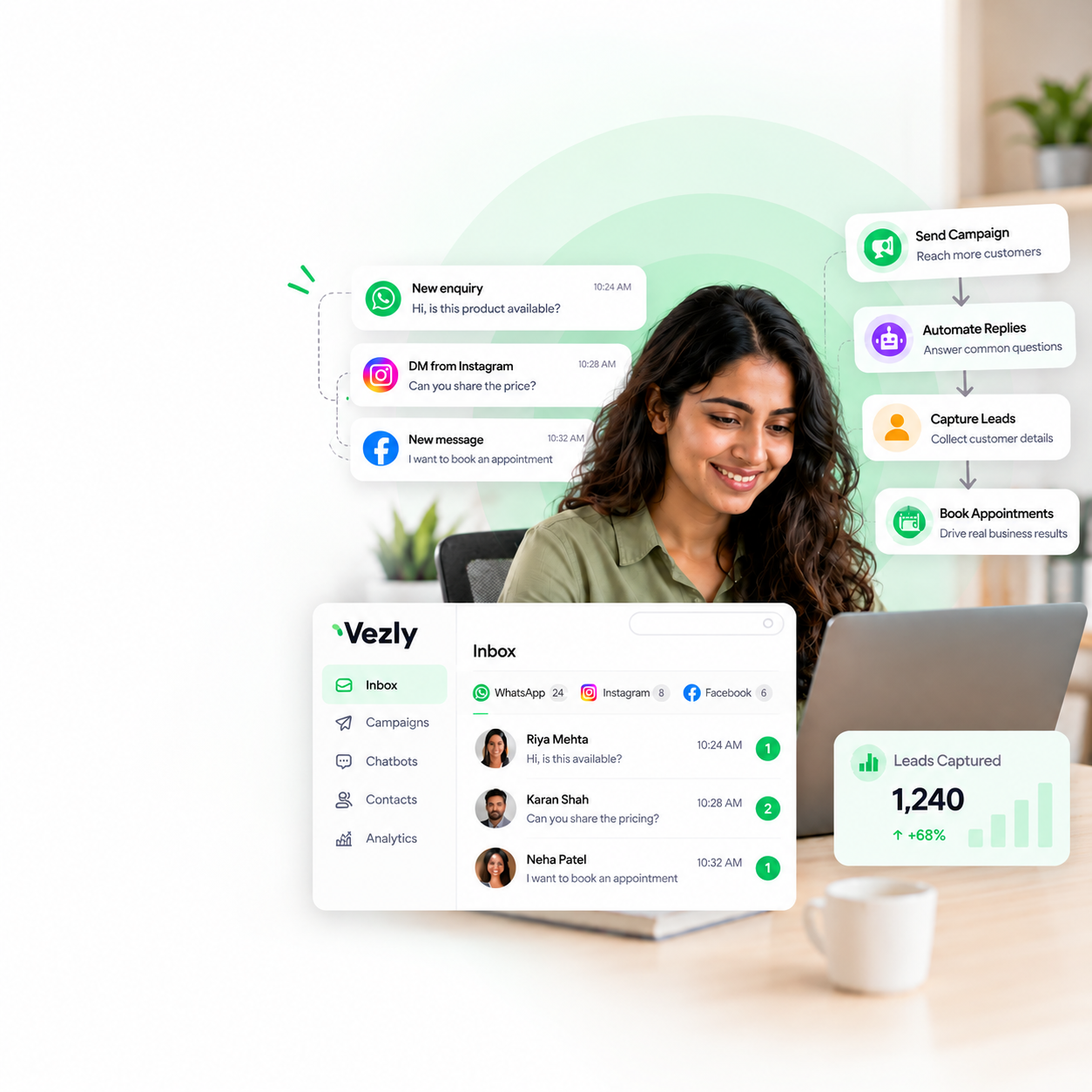
Vezly provides a customer engagement platform with usage-based WhatsApp API pricing and no monthly software subscription.
It brings together:
- WhatsApp campaigns
- WhatsApp chatbot automation
- Customer segmentation
- WhatsApp Forms
- Customer conversations
- Campaign scheduling
- Instagram automation
- Facebook automation
This gives businesses a way to move their WhatsApp Business Account to a new platform while also bringing their broader customer communication into one place.
So, if you’re considering leaving WATI or Interakt, you don’t necessarily need to start again with a new WhatsApp number.
Common Mistakes to Avoid During Migration
Buying a New Number Unnecessarily
Changing providers does not automatically require a new WhatsApp number.
Check whether your existing number is eligible for migration first.
Forgetting to Disable 2FA
Two factor authentication needs to be disabled before migration.
Assuming Templates Will Transfer
Message templates need to be resubmitted after migration.
Assuming All Your Software Data Will Move
Your WhatsApp Business Account can migrate while your provider’s specific data may still need to be exported or recreated.
Starting Without Your Business Manager Information
Keep your Business Manager ID and required Meta access ready before beginning.
Skipping Testing
Test your important workflows after the migration before returning to normal campaigns.
Final Thoughts
Switching WhatsApp providers does not necessarily mean changing the number your customers already know.
An eligible WhatsApp Business Account can be migrated while retaining important account attributes such as the phone number, display name, quality rating, Official Business Account status and messaging limits.
The important thing to remember is that WhatsApp account migration and software migration are two different things.
Your number can move to Vezly, while message templates need to be resubmitted, and other provider specific configurations may need to be recreated.
So, if you’re planning to switch from WATI to Vezly or migrate from Interakt, prepare your Meta access, Business Manager information, existing number, templates and workflows before beginning.
Switch your provider. Keep your number.
You can then move to Vezly without unnecessarily abandoning the WhatsApp number your business has already built around.
2. What is WABA migration, and what information do I need?
WABA migration is the process of moving your WhatsApp Business Account from one provider to another while retaining your existing business number. Before starting, ensure you have your WhatsApp phone number, Business Manager ID, and the required business account access. Two-factor authentication must also be disabled on the existing account before migration.
3. Will my display name, quality rating, and messaging limits remain the same?
Yes. During an eligible migration, your approved display name, existing quality rating, and messaging limits can be retained, provided the applicable migration requirements are met. There should be no pending display name change request.
4. Will my WhatsApp message templates and chat history transfer to Vezly?
Message templates do not transfer automatically and need to be resubmitted for approval after migration. Similarly, chat history from WATI or Interakt should not be assumed to appear in Vezly automatically, as provider-specific data may require separate export or handling.
5. Can I migrate a free Meta test number to Vezly?
No. Free test business phone numbers provided by Meta cannot be migrated. You need an eligible WhatsApp Business Account and business phone number to proceed with migration.