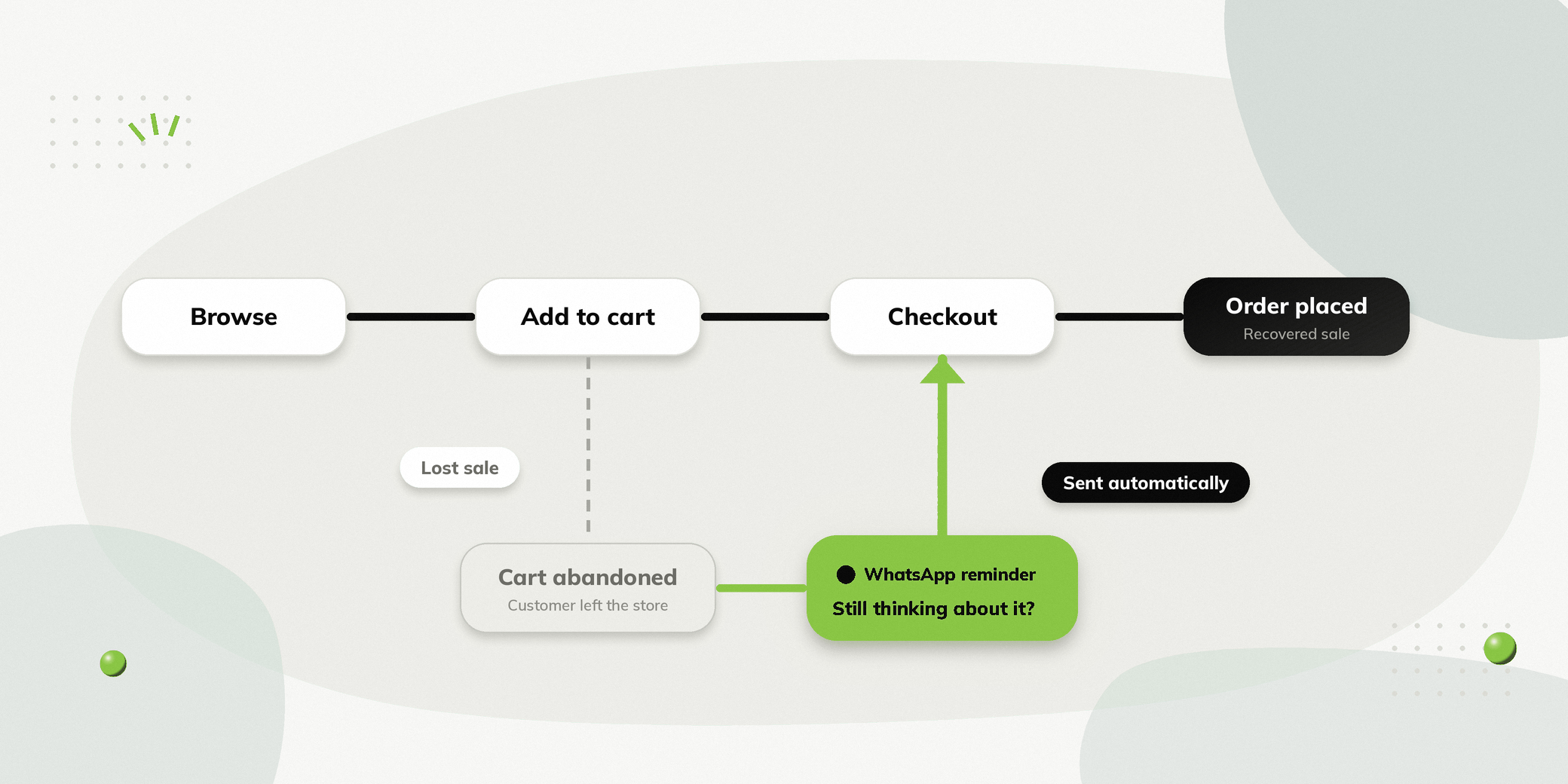
E-commerce brands invest heavily in getting people to their websites. But even after someone finds a product, adds it to their cart and starts checkout, the purchase may not happen.
For brands whose websites are built on Shopify, these abandoned carts represent potential sales that can still be recovered.
WhatsApp Shopify cart recovery does this by connecting your store with WhatsApp automation, so brands can send timely cart reminders and make it easier for buyers to return and complete their purchase.
The same integration can also support post-purchase communication such as order confirmations and shipping notifications.
What Is WhatsApp Abandoned Cart Recovery for Shopify?
WhatsApp abandoned cart recovery is the process of sending a WhatsApp message to someone who added products to their cart on a Shopify powered website but did not complete the purchase.
The message can remind the buyer about the products they left behind and make it easy to return to checkout.
Instead of relying only on email reminders, e-commerce brands can use WhatsApp as another way to reach people who have already shown purchase intent.
Why Use WhatsApp for Abandoned Cart Recovery?
Reach Buyers on a Familiar Channel
People already use WhatsApp to communicate every day. A timely message can make it easier for an interested buyer to return to their purchase.
Follow Up While Interest Is Fresh
The longer someone waits, the more likely they may forget about the product or move on.
An automated WhatsApp reminder can reach them closer to the time they abandoned their cart.
Make Returning to Checkout Easier
The message can include a direct link that takes the buyer back to their cart or checkout.
Instead of asking them to search for the product again, they can continue from where they left off.
Reduce Manual Follow Ups
Your team does not need to manually identify abandoned carts and message buyers one by one.
The workflow can trigger communication automatically.
How Does WhatsApp Abandoned Cart Recovery Work on Shopify?
Once an e-commerce website is integrated with Shopify, relevant Shopify events can be used to trigger WhatsApp communication.
Step 1: A Buyer Adds Products to the Cart
Someone visits your e-commerce website, selects a product and adds it to their cart.
Step 2: The Buyer Leaves Without Purchasing
If the buyer does not complete the purchase, the abandoned cart becomes an opportunity for recovery.
Step 3: A WhatsApp Message Is Sent
A WhatsApp message can remind the buyer about the items they left behind.
You left something behind 👀
Your selected items are still waiting in your cart.
Buy Now
Step 4: The Buyer Returns to Checkout
The message can take the buyer directly back to their cart or checkout.
Step 5: The Order Is Completed
If the buyer completes the purchase, the abandoned cart journey ends and the post purchase communication can begin.
What Should a Recovery Message Include?
A useful recovery message should make it easy for the buyer to understand what they left behind and what to do next. Using approved WhatsApp message templates helps keep these reminders consistent and compliant.
It can include:
- Product information
- A short reminder
- A link back to the cart
- A clear call to action
The message does not need to be complicated. The objective is to make returning to the purchase easy.
Sending Order Confirmations Automatically
WhatsApp automation does not have to stop once someone completes their purchase.
After an order is placed on the Shopify website, brands can send an order confirmation through WhatsApp.
Order Confirmed 🎉
Your order #45821 has been confirmed.
Order: Classic Sneakers
Amount: ₹2,499
We’ll keep you updated when your order ships.
This gives the buyer immediate confirmation and reduces uncertainty after checkout.
Keeping Buyers Updated After Dispatch
Once an order has been shipped, brands can send another WhatsApp notification.
Your order is on the way 🚚
Order #45821 has been shipped.
Tracking ID: ABC12345
This keeps buyers informed without requiring them to repeatedly check their order status.
From Cart to Delivery: The Full Customer Journey
WhatsApp can support multiple stages of the e-commerce customer journey.
| Stage | WhatsApp automation |
|---|---|
| Cart | Abandoned cart reminder |
| Purchase | Order confirmation |
| Shipping | Shipping notification |
| Delivery | Delivery update |
| Support | Customer queries |
This creates a broader communication workflow rather than using WhatsApp only to recover abandoned carts.
What Can Shopify Businesses Automate with WhatsApp?
The exact workflow depends on the business, but common use cases include:
Abandoned Cart Recovery
Remind buyers about products left in their cart and bring them back to checkout.
Order Confirmation
Automatically confirm successful purchases and provide order details.
Shipping Notifications
Inform buyers when their order has been shipped and provide tracking information.
Delivery Updates
Keep buyers informed about the progress of their order.
Customer Support
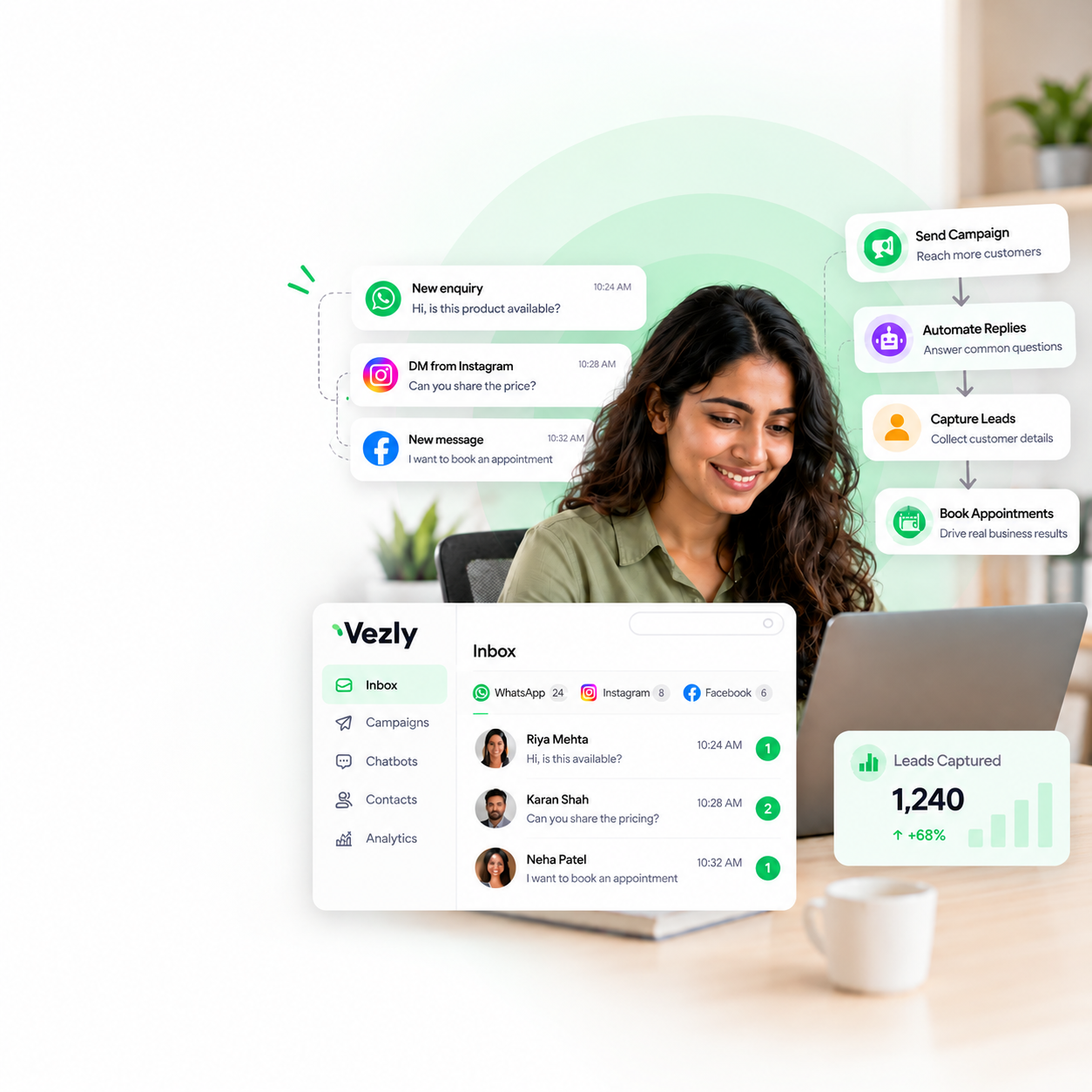
Give buyers a way to ask questions about orders, products, and deliveries through WhatsApp, with every conversation managed from a shared inbox.
How Vezly Helps Shopify Businesses Automate WhatsApp
Vezly can connect with Shopify through its Shopify integration to bring WhatsApp communication into the e-commerce customer journey.
Once your website is integrated with Shopify, relevant Shopify events can be used to trigger WhatsApp communication at different stages of the purchase journey.
Businesses can use automation to:
- Recover abandoned carts
- Send order confirmations
- Send shipping notifications
- Share order information
- Automate customer conversations
- Manage incoming WhatsApp conversations through a shared inbox
The goal is to reduce the manual work involved in keeping buyers informed while making it easier for them to take the next step.
Why Combine Shopify with WhatsApp Automation?
Shopify stores already contain important information about products and orders.
Connecting that information with WhatsApp automation allows brands to use relevant information at the right stage of the purchase journey.
For example:
Shopify Event → WhatsApp Automation → Buyer Action
An abandoned cart can trigger a recovery message.
Completed order can trigger an order confirmation.
A shipped order can trigger a shipping notification.
This turns Shopify events into useful customer communication.
Best Practices for Automated Messaging
Keep Cart Reminders Relevant
Remind buyers about the products they actually showed interest in instead of sending a generic promotional message.
Make the Next Step Clear
Whether the objective is completing a purchase or tracking an order, give the recipient a clear action to take.
Keep Transactional Updates Useful
Order and shipping messages should focus on information the buyer needs rather than unnecessary promotional content.
Avoid Over Messaging
Automation should make communication more useful, not overwhelm buyers with unnecessary messages.
Give Buyers a Way to Get Help
If someone has a question about their order, make it easy to connect with your team through WhatsApp.
Final Thoughts
An abandoned cart is not necessarily a lost sale.
Someone who added a product to your Shopify powered website has already shown interest. A timely WhatsApp reminder can make it easier for that buyer to return and complete the purchase. That is the core of WhatsApp Shopify cart recovery.
But WhatsApp can do more than recover abandoned carts.
The same channel can be used for order confirmations, shipping notifications and customer support, helping e-commerce brands stay connected throughout the purchase journey. To see how this works after checkout, read our guide on WhatsApp order updates.
With Vezly, e-commerce brands can connect Shopify with WhatsApp automation and manage these interactions from one platform.
FAQs
Can I recover abandoned Shopify carts through WhatsApp?
Yes. A Shopify store can use WhatsApp automation to send reminders to buyers who abandon their carts, provided the messaging workflow meets the applicable WhatsApp requirements.
Can Shopify send order confirmations on WhatsApp?
Yes. Shopify order events can be connected to WhatsApp automation, so brands can send relevant order confirmation messages.
Can I send Shopify shipping notifications through WhatsApp?
Yes. Shipping events can trigger WhatsApp notifications containing information such as shipping status and tracking information.
Can abandoned cart messages include a link?
Yes. A recovery message can include a link that takes the buyer back to their cart or checkout.
Can I automate Shopify WhatsApp messages?
Yes. Shopify events can be connected to WhatsApp workflows, so relevant messages are triggered automatically.
Do I need a technical team to set this up?
The setup depends on the platform you use. A visual automation platform can make it easier for business teams to create and manage these workflows without relying on development resources for every change.